Showing posts with label IBP. Show all posts

Thursday, 27 April 2023

"RFC_COMMUNICATION_FAILURE- SSSLERR_PEER_CERT_UNTRUSTED" error occurs while connecting to IBP datastore via webRFC connection - SAP Cloud Integration for Data Services

Error:  "RFC_COMMUNICATION_FAILURE- SSSLERR_PEER_CERT_UNTRUSTED" error occurs while connecting to IBP datastore via webRFC connection - SAP Cloud Integration for Data Services.


Cause

The IBP server certificate added to the PSE file is incorrect.


Resolution

Pull up Google Chrome web browser.

Open up the IBP tenant URL (https://myXXXXXX.scmibpX.ondemand.com).

Login to IBP with a user name and password.

Click on the padlock in front of the URL, and then on the arrow on the "Connection is secure" line.


On the next screen, click on the box at the end of "Certificate is valid".


On the next screen, click on the "Details" tab and select the root "DigiCert Global Root G2" certificate.


 press "Export...":


In the export wizard choose Base-64.


Give it a name and save it.

Transfer that file to the agent server's file system.

Add the IBP server certificate to the PSE file by command:


<agent_installation_folder>\bin\sapgenpse maintain_pk -a <path>/<certificate>.cer -p <file.pse> -x <PIN>


Example:


sapgenpse maintain_pk -a C:\ProgramData\SAP\DataServicesAgent\ssl\sec\ZZZ.cer -p ibp_webrfc.pse -x Passw0rd! 

Note: the IBP server certificate can be exported in any web browser. In this example we used Google Chrome for demonstration.


SAP IBP Default Client Certificate Renewal procedure.

 If you use the default client certificate for certificate-based authentication in outbound integration scenarios, you must update the trust between the systems when a new default client certificate is issued.

Context

In outbound integration scenarios that use certificate-based authentication, SAP IBP needs to authenticate itself against the external system with a client certificate. For this purpose, you can use the default client certificate provided with SAP IBP. This certificate is valid for one year. Before its expiration, SAP issues a new certificate. The public key of this new certificate needs to be uploaded into the trust store of your external system that communicates with SAP IBP.

89 Days Before Expiration

The certificate renewal process begins 89 days before the expiration of the default client certificate. At that time, you will receive an email informing you about the upcoming expiration and the planned issuing of the new default client certificate.

You will not be required to take any action yet; however, we recommend that you prepare for the certificate replacement by checking which of your communication systems use the default client certificate for authentication and planning your replacement activities.

To check which communication systems use the default client certificate, open the Maintain Client Certificates app, select the Client Default certificate and choose the Communication Systems tab on the right.

30 Days Before Expiration

30 days before the expiration, SAP issues a new default client certificate. You will be informed about it by email.

The new default client certificate will be available for download in the Maintain Client Certificates app. It will be called Client Default. The expiring certificate will be renamed to Client Default Expiring.

Once the new default client certificate is available, you need to do the following:

  1. Open the Communication Systems app. Select the system that uses the default client certificate for outbound communication.
  2. In the Users for Outbound Communication section, change the certificate that is used by the user for outbound communication from Client Default Expiring to Client Default.
  3. Choose Download Certificate to download the public key of the default client certificate.
  4. Upload the public key that you have downloaded into the trust store of your external system.

On the Expiration Date

Once the old certificate expires, it will be removed from the list in the Maintain Client Certificates app. You will receive a confirmation of this action by email.

What Happens If You Don't Act

If you don’t update your communication users and your external system trust store with the new certificate, the outbound integration scenarios which use the default client certificate for authentication will be broken. You will get the 403 Forbidden HTTP status code message when trying to connect.

Contact Information

In case of questions and problems, please open a customer message using the component SCM-IBP-OPS-INC, with a title like "Default Client Certificate Renewal in SAP IBP".


2801396 - SAP Global Trust List - SAP for Me

Monday, 20 March 2023

How to create user in SAP IBP system ?

How to create a user in the SAP IBP system? 

In this blog, we are going to see how to create users in SAP Integrated Business Planning ( IBP) 


Prerequisite: 

1: IBP site URL

2: user name and password of tenant 


Procedure : 

1: Maintain Employee 

a: Search maintain Employees 


b: Click “Create” to add a new user 


c: Add Employee ID, first name, last name, and valid from/ to dates, and email
--> Then, click “Create” to save the employee data. 


2: Create a Business User in IBP 

  1. a: Click Maintain Business Users Tile 


    b: Click “New” to add a user 


c: The screen pops up and select the user from the list.  Then click OK. 


Make sure the email address is filled in correctly. 

e: once the user is created then assign the role by double-clicking on the user.

Go to --> Assigned business roles --> click on add --> select role click on apply --> then click on save.


Below Steps are applicable if using single sign-on 


d: Choose “Download for IDP” from the dropdown.  A csv file is created. 


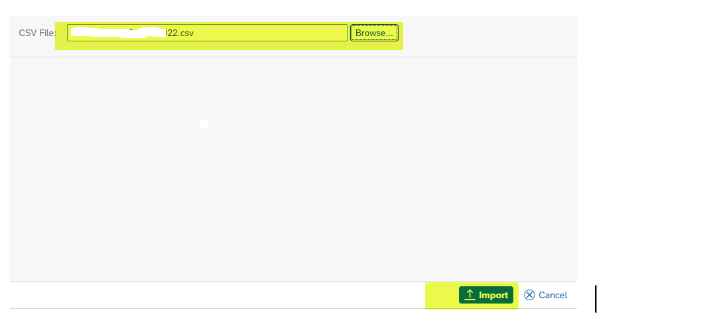
e: Open IAS and import users 
  1. Select Import Users -> select IBP system -> Upload CSV file (then select the CSV file) 


f: Import the file.  See confirmation screen. 


g: Send an activation email to the user 


Thanks 
Rupesh Chavan